SpirngBoot 学习 整合mybatis
加入依赖
1
2
3
4
5
6
7
8
9
10
11
12
13
14
15
16
17
|
    org.springframework.boot
    spring-boot-starter-jdbc


    org.mybatis.spring.boot
    mybatis-spring-boot-starter
    2.0.1


    mysql
    mysql-connector-java
    runtime
|
再下面的plugins 加入
1
2
3
4
5
6
7
8
9
10
|
    org.mybatis.generator
    mybatis-generator-maven-plugin
    1.3.1

        ${basedir}/src/main/resources/generator/generatorConfig.xml
        true
        true
|
新建 application.yml
在 resources 文件夹下新建 application.yml
在配置文件里面不要使用中文注释,非常容易乱码
mysql://127.0.0.1/t?…. 这里的t修改为自己的数据库名字
?useUnicode=true&characterEncoding=utf8&useSSL=false&serverTimezone=GMT%2B8
这一段是使用了Unicode编码,另外把字符集编码设为utf-8防止乱码,服务器时间设为+8地区
(注意缩进问题)
1
2
3
4
5
6
7
8
9
10
11
| server:
port: 8080
spring:
datasource:
url: jdbc:mysql://127.0.0.1/t?useUnicode=true&characterEncoding=utf8&useSSL=false&serverTimezone=GMT%2B8
username: root
password: root
driver-class-name: com.mysql.cj.jdbc.Driver
mybatis:
mapper-locations: classpath:mapper/*.xml
type-aliases-package: com.keac
|
建立 generator
在 resources 下面建立一个文件夹叫做 generator ,再在这个文件夹下面新建 generatorConfig.xml
1
2
3
4
5
6
7
8
9
10
11
12
13
14
15
16
17
18
19
20
21
22
23
24
25
26
27
28
29
30
31
32
33
34
35
36
37
|
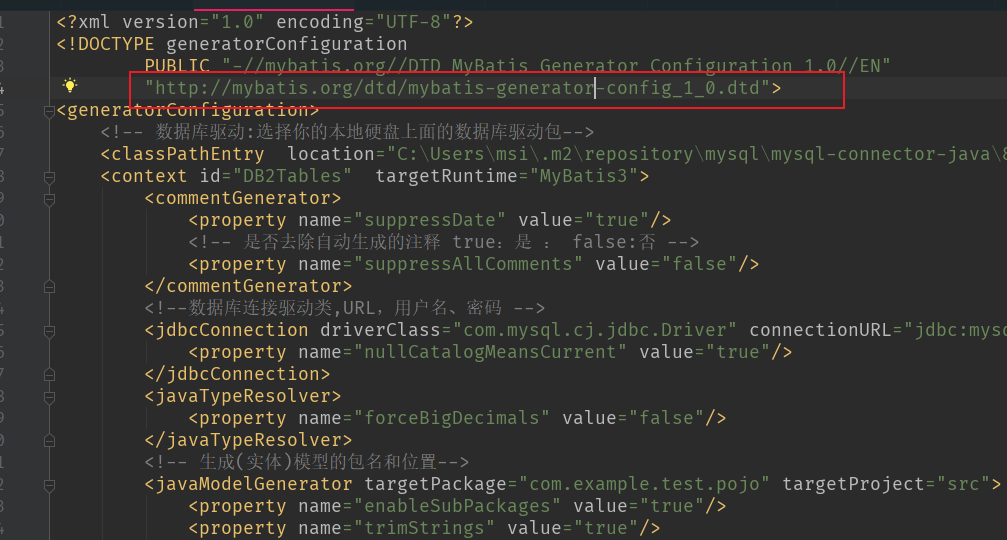
        PUBLIC "-//mybatis.org//DTD MyBatis Generator Configuration 1.0//EN"
        "http://mybatis.org/dtd/mybatis-generator-config_1_0.dtd">
|
在这个地方可能会爆红
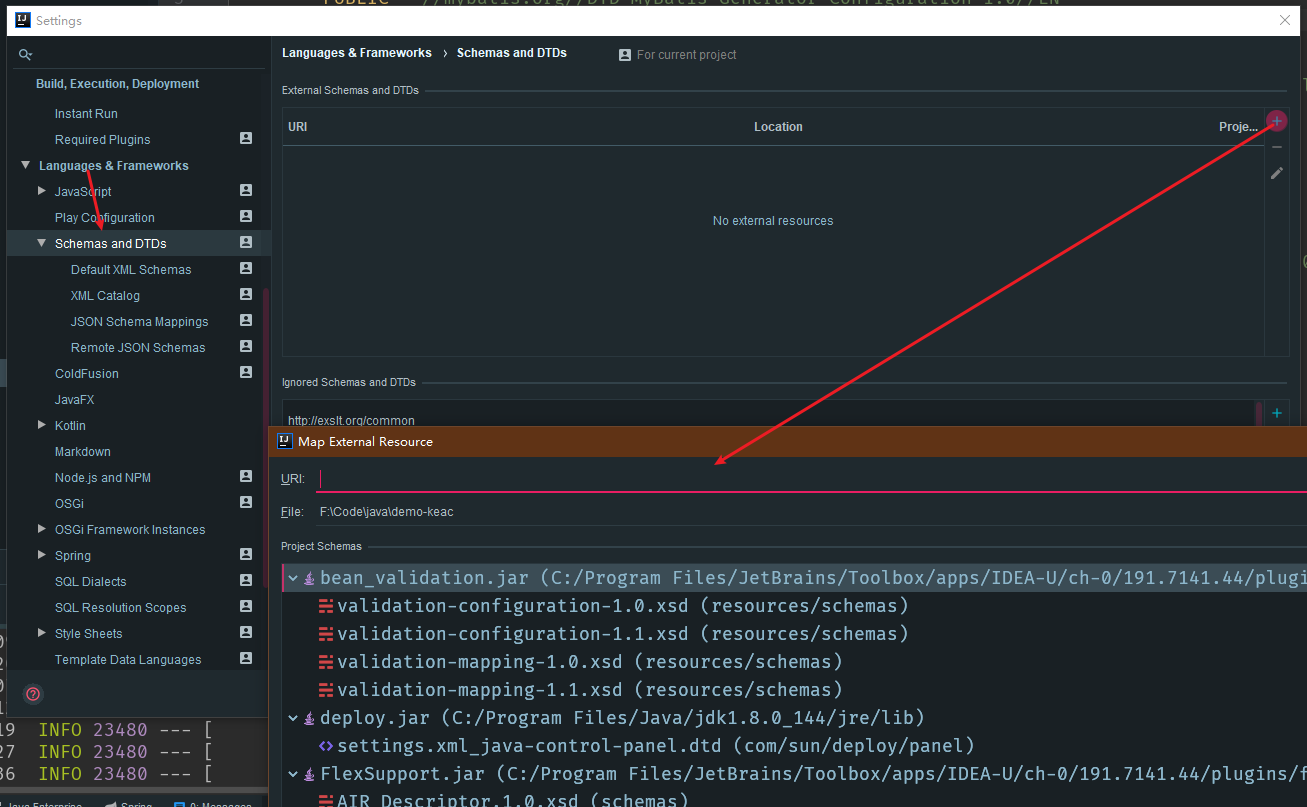
在设置里面添加以下
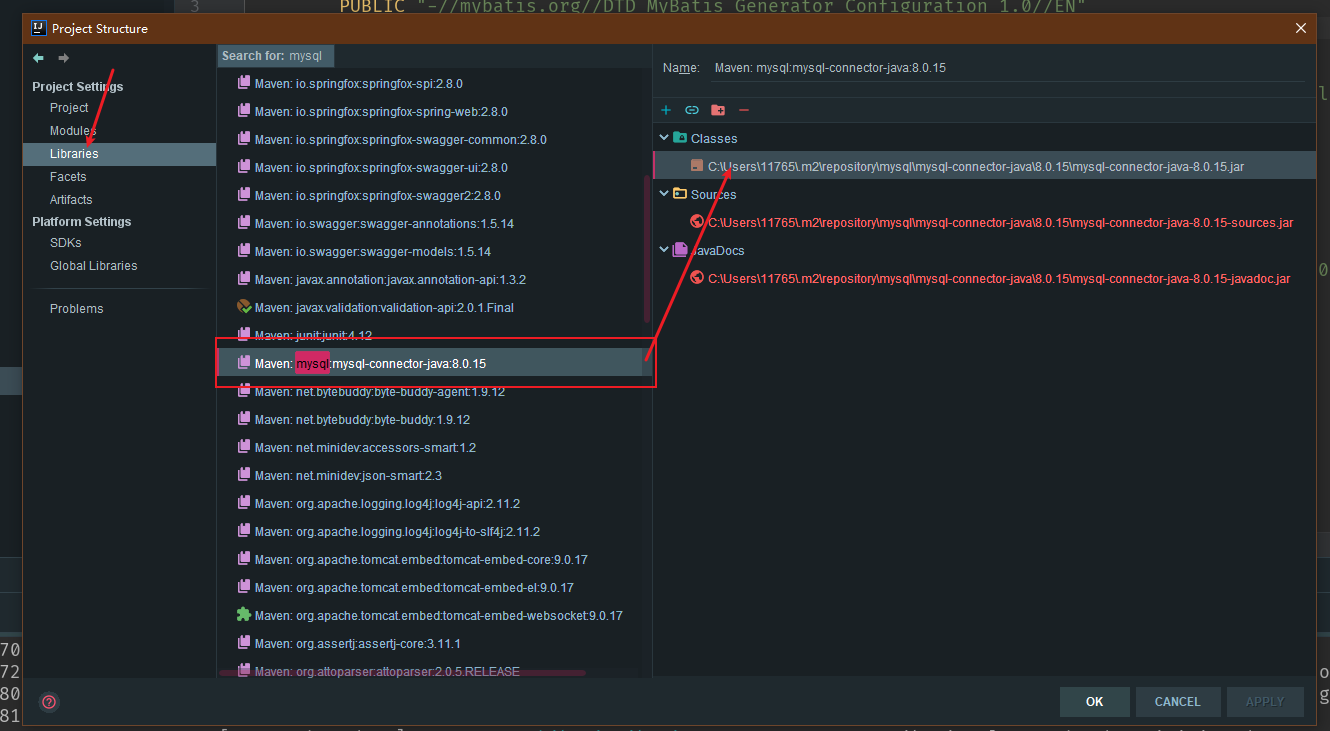
修改数据驱动包位置

复制自己驱动包的位置,放到 classPathEntry location=”” 这里面
按照注释修改下配置
在最后的table里面写入自己的表面
1
|
generator运行配置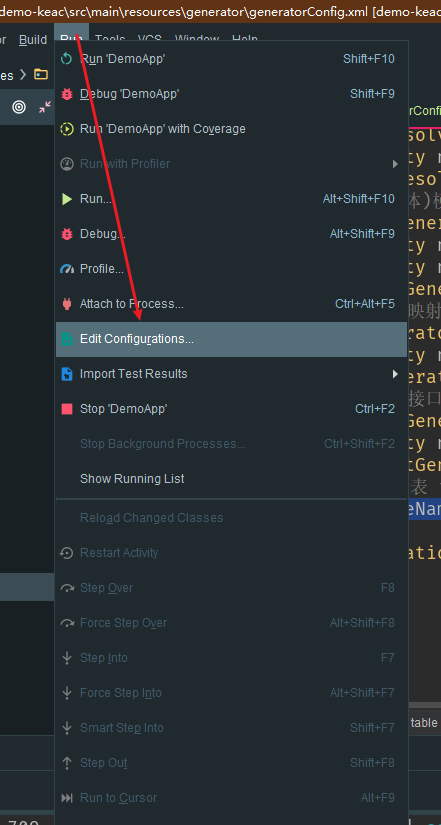
新建一个Maven 命名为 generator 在里面 打上 mybatis-generator:generate -e
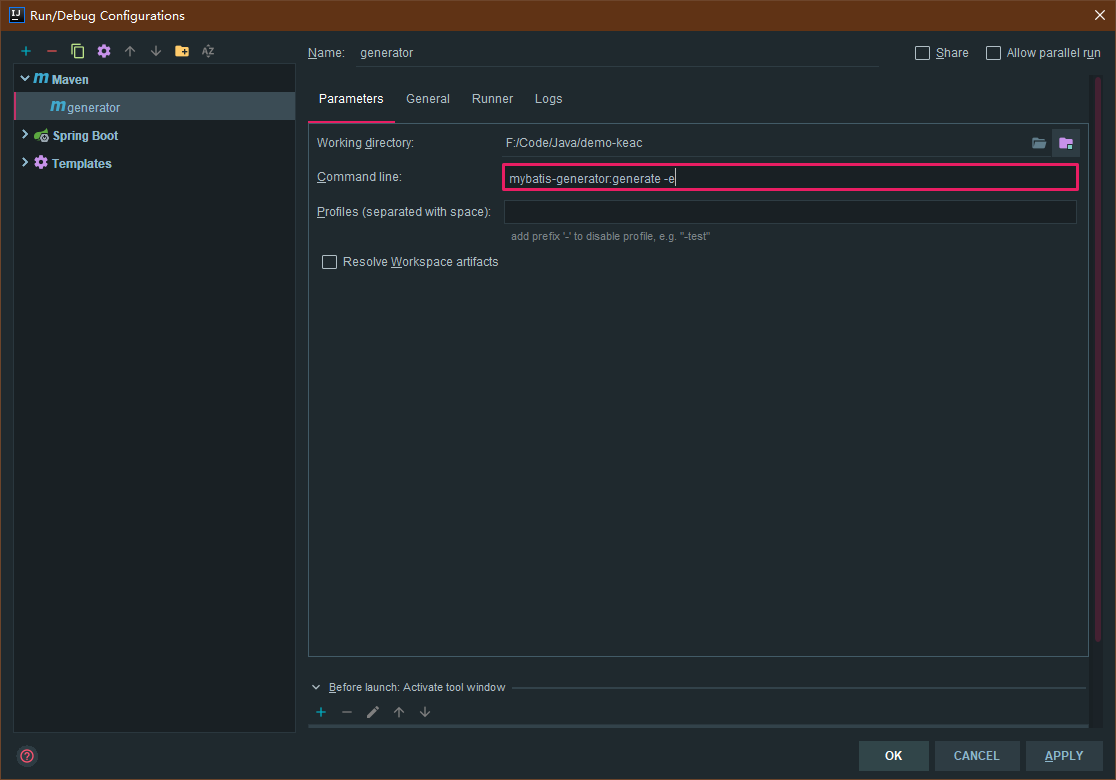
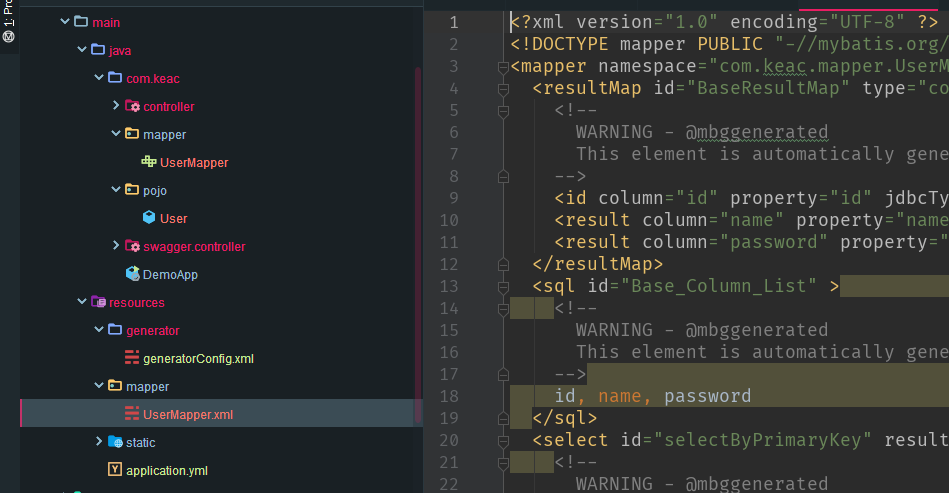
配置好之后运行 generator
之后就可以看到下多出了几个文件夹,可以看到mysql已经被映射为实体类了
在主函数上面加入,配置扫描mapper的文件路径
1
| @MapperScan(basePackages = "com.keac.mapper")
|
1
2
3
4
5
6
| @Autowired
private UserMapper userMapper;
@RequestMapping("/index")
public String index(){
return userMapper.selectByPrimaryKey(1).getName();
}
|
访问/index后可以看到从数据库里面查出来的name
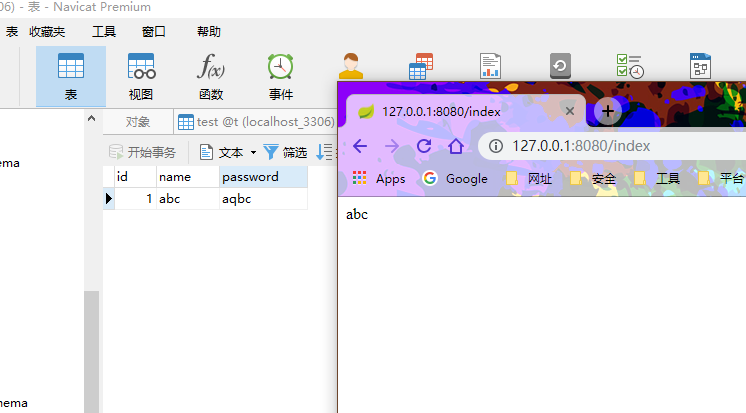
|